What Is Computer Literacy? Why It Still Matters More Than You Think
Most people think they know what computer literacy means. Type fast, open a browser, send an email. Done. That definition was out of date ten years ago. Today it barely…

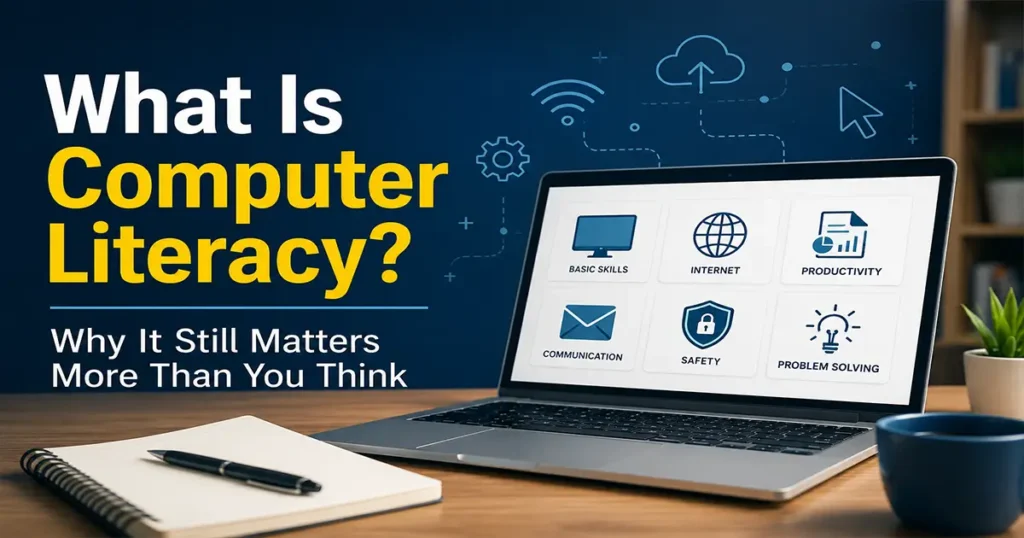
Most people think they know what computer literacy means. Type fast, open a browser, send an email. Done.
That definition was out of date ten years ago. Today it barely scratches the surface. Computer literacy in 2026 is about understanding how technology works well enough to use it confidently, protect yourself online, and not get left behind in a world that is moving fast. Whether you are a student, a job seeker, a small business owner, or someone who just wants to stop feeling confused by their own devices, this matters to you.
Table of Contents
Table of Contents – Click Here
Table of Contents
What Computer Literacy Actually Means
The textbook definition is something like “the ability to use computers and related technology efficiently.” That is accurate but not very useful.
A better way to think about it: computer literacy is knowing enough about technology to get things done without panicking, troubleshoot basic problems without calling someone, and recognize when something online is trying to trick or harm you.
It is not about knowing how to code. It is not about being a tech expert. Most plumbers are not civil engineers, but they still understand water pressure. Computer literacy works the same way.
The concept has been around since the 1980s, when personal computers first showed up in schools and offices. Back then it meant learning how to use a keyboard and maybe a spreadsheet. Now it covers a much wider range of skills, from managing files and understanding software to spotting phishing emails and navigating cloud tools.
Why It Matters Right Now
Here is an honest number: the World Economic Forum estimates that over 1 billion jobs will require significant digital reskilling by 2030. That is not a warning about robots taking jobs. It is a warning about people being unable to do jobs that still need humans, because the tools have changed and the skills have not kept up.
Job listings that used to say “basic computer skills required” now list specific platforms: Google Workspace, Microsoft 365, Slack, Zoom, project management tools, CRM systems. Each of those is learnable. But you have to start somewhere.
Beyond employment, there is the daily reality of navigating the internet safely. Scams have gotten sophisticated. AI-generated content makes misinformation harder to spot. Data privacy settings are buried under menus designed to confuse people. None of this is hopeless. But it rewards people who understand what is actually going on.
The Core Skills That Make Up Computer Literacy
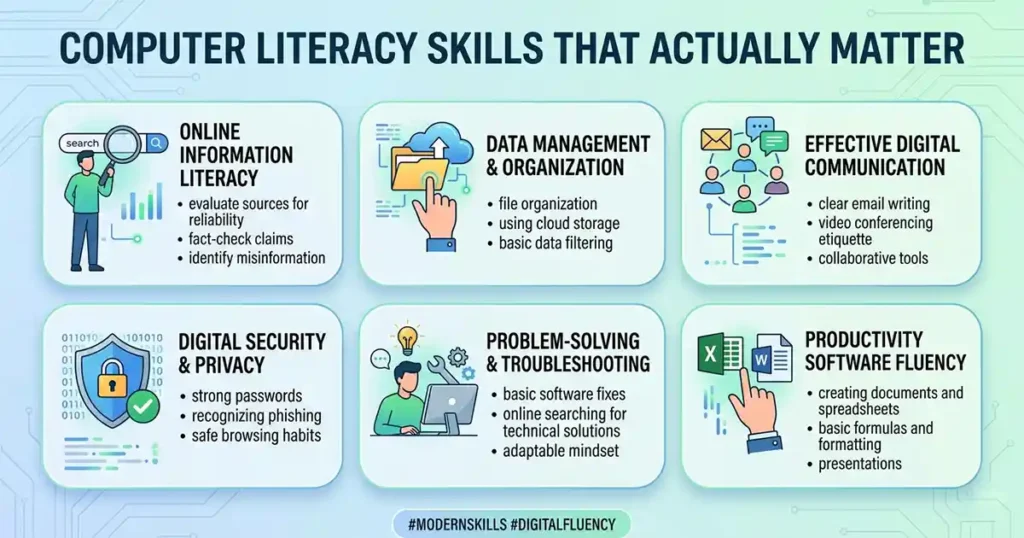
There is no single official list, but most experts and educators group computer literacy into a handful of areas:
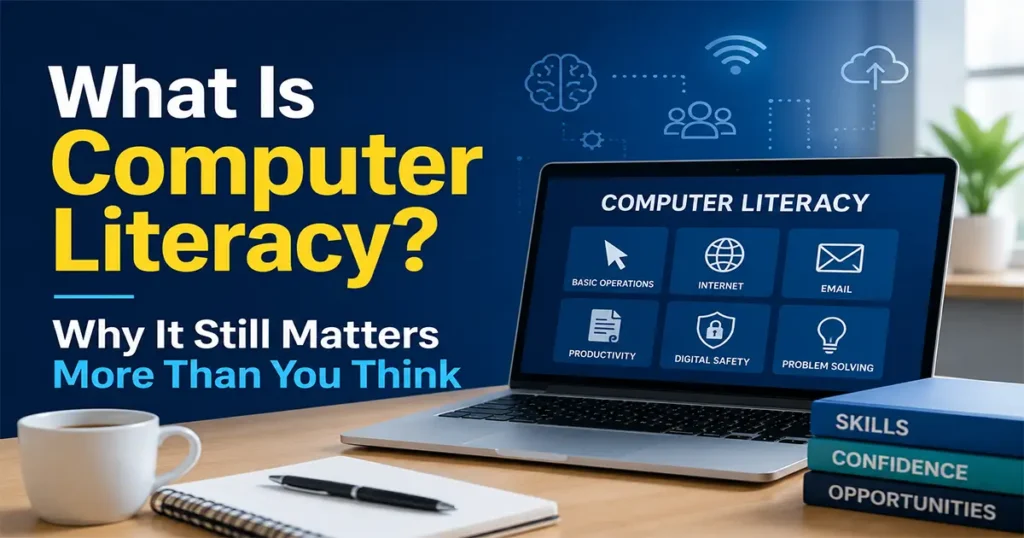
Basic operations. Turning devices on and off, connecting to Wi-Fi, installing and uninstalling apps, managing files and folders, adjusting settings. These feel obvious until someone has never been taught them systematically.
Word processing and productivity tools. Creating and formatting documents, working with spreadsheets, building simple presentations. This is still the backbone of most office work, and it is more nuanced than it looks.
Internet and communication. Using email professionally, understanding how browsers and search engines work, knowing the difference between a reliable source and a poorly sourced article.
Online safety and privacy. Recognizing phishing attempts, using strong passwords (and a password manager), understanding what cookies and tracking actually do, knowing how to check whether a website is secure.
Cloud and collaboration tools. Storing and sharing files online, working on documents with other people in real time, understanding what “the cloud” actually is and is not.
Critical thinking about technology. This one is underrated. Being able to question what an algorithm is showing you, understand why a platform makes certain design choices, or recognize when a tool is not the right tool for the job.
Computer Literacy vs. Digital Literacy
These terms often get used interchangeably, but there is a difference worth knowing.
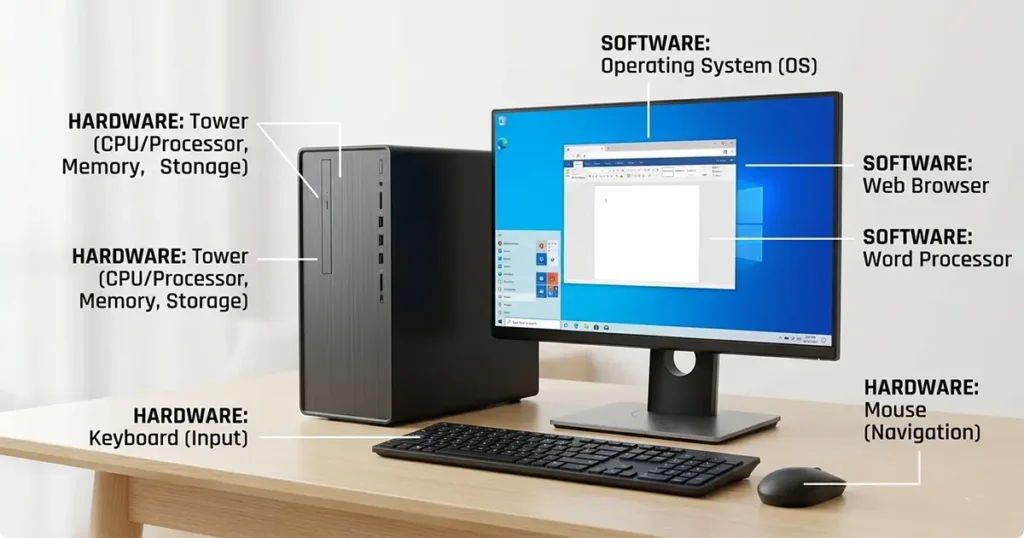
Computer literacy focuses on the practical mechanics: using hardware and software, navigating operating systems, working with files. It is the hands-on, functional side.
Digital literacy is broader. It includes computer literacy but also covers media literacy, information evaluation, online communication norms, and understanding the social and ethical dimensions of technology. Someone with strong digital literacy does not just know how to use a search engine; they know how to evaluate what the search engine returns.
Both matter. If computer literacy is the foundation, digital literacy is the building on top of it.
How to Improve Your Computer Literacy (Practically)
The good news is that you do not need a formal course to get better at this, although formal courses can help. The better news is that most of the resources are free.
Start with what you actually use. If your job requires Google Sheets, learn Google Sheets. If your organization uses Microsoft Teams, get comfortable with Microsoft Teams. Targeted learning sticks better than trying to learn everything at once.
YouTube is underrated for this. Search for the specific task you are trying to do: “how to freeze rows in Excel,” “how to create a folder in Google Drive,” “how to check if an email is a scam.” The answers are almost always there, in plain language, shown on screen.
Free structured learning options include:
- Google’s Digital Garage (free certificates, beginner-friendly)
- Microsoft Learn (covers Office tools and beyond)
- GCFGlobal.org (one of the most patient, thorough resources available)
- Coursera and edX (free auditing of university-level courses)
You can also check out our courses for hands-on digital skills training.
Practice on low-stakes tasks. Set up a personal budget in a spreadsheet. Back up your photos to a cloud service. Change your passwords one account at a time. These small wins build confidence faster than theory does.
Do not be embarrassed to ask basic questions. Everyone had a first time with every piece of technology they now use without thinking. The people who get better at this fastest are the ones who ask questions early rather than quietly struggling.
Computer Literacy in Schools and Workplaces
Schools have been trying to build computer literacy into curricula for decades with mixed results. The challenge is that technology moves faster than educational policy. A school that built its digital skills program around Microsoft Office in 2015 may not have updated it to reflect how much work now happens in the browser, on mobile, or through AI-assisted tools.
The more forward-thinking approach is teaching adaptability over specific tools: how to learn a new interface, how to troubleshoot when something is not working, how to search for help effectively. Those meta-skills transfer. Knowing the exact menu location for a feature in a software version that will be updated next year does not.
In workplaces, the gap shows up most visibly in onboarding. New employees who arrive with strong computer literacy need less hand-holding, catch on to internal tools faster, and tend to be more resourceful when problems come up. Employers increasingly recognize this, which is why “digital literacy” has crept into job descriptions for roles that have nothing to do with IT.
What Gets in the Way
Fear of looking foolish is probably the biggest barrier. There is a strange social pressure around technology that makes people reluctant to admit when they do not know something. This is worth pushing back on.
Access is another real issue. Not everyone has reliable internet, a good device, or the time to sit down and learn something new. Digital inclusion is a genuine policy problem, not just an individual one.
And then there is pace. Technology changes fast enough that even people who are competent with today’s tools can feel behind next year. The answer to this is not to chase every new thing, but to build enough foundational understanding that picking up new tools is less intimidating.
Final Thought
Computer literacy is not a destination. You do not arrive at it and stop. It is more like physical fitness: something you maintain and develop over time, through use.
The basics are not that hard. Most people can get reasonably competent with the fundamentals in a few focused weeks. What takes longer is building the confidence to try things, fail, figure out what went wrong, and try again. That confidence is worth more than any specific skill.
If you have been meaning to get better at this, the best time to start was probably a few years ago. The second best time is now.
Frequently asked questions (FAQ’s)
Frequently asked questions (FAQ’s) – Click Here
What is computer literacy in simple terms?
Computer literacy means knowing how to use a computer and related technology well enough to get real things done – without panic, without needing to call someone for every small problem. It covers the basics: managing files, using apps, browsing safely, communicating online. You don’t need to know how to code. You just need to know how to navigate the tools that now run most of daily life.
Is computer literacy still relevant when most devices are now “intuitive”?
Yes – and the “it’s all intuitive now” argument is part of the problem. Touchscreens and simplified interfaces lower the barrier to entry, but they also hide a lot of what’s actually happening. Someone who only knows how to tap icons is not prepared for a job that requires spreadsheets, file management, or knowing when an email is a scam. Ease of use is not the same as understanding.
What’s the difference between computer literacy and digital literacy?
Computer literacy is about the mechanics: hardware, software, operating systems, files. Digital literacy is wider – it includes all of that plus media literacy, source evaluation, online communication, and understanding how platforms and algorithms work. Think of computer literacy as the floor and digital literacy as the whole building. You need both, but you have to start somewhere.
What are the most important computer literacy skills to learn first?
Start with what you actually use day to day. For most people that means:
Managing files and folders (so you can find things and not lose work)
Using email professionally (formatting, attachments, recognizing phishing)
Basic word processing and spreadsheets (Google Docs/Sheets or Microsoft Office)
Staying safe online (strong passwords, two-factor authentication, recognizing scams)
Understanding cloud storage (what it is, how to back things up)
Those five areas cover the vast majority of situations where computer literacy gaps cause real problems.
Can you improve your computer literacy for free?
Easily. Google’s Digital Garage, GCFGlobal.org, and Microsoft Learn are all free and cover the fundamentals well. YouTube is useful for specific tasks – searching “how to do X” almost always returns a clear walkthrough. The honest truth is that most of what people need to know is already online, for nothing. The barrier is usually time and confidence, not access.
How does poor computer literacy affect job prospects?
Quite directly. Most office jobs now list specific software in the job description – not just “basic computer skills” but Google Workspace, Microsoft 365, Slack, Zoom, and so on. Candidates who can’t demonstrate comfort with those tools get filtered out early. And even in jobs that don’t seem tech-heavy, day-to-day tasks like scheduling, sending reports, or accessing internal systems all require some baseline competence. The World Economic Forum estimates over a billion jobs will need significant digital reskilling by 2030 – that number reflects real urgency, not just futurist alarm.
At what age should children start learning computer literacy?
Most education researchers say the basics can start around age 6 or 7 – typing, navigating a simple interface, understanding that files need to be saved. By secondary school, students should be comfortable with productivity tools, basic internet research, and online safety. What matters more than age is sequencing: start with why something works, not just how to click it. Kids who understand the logic behind what they’re doing adapt faster when the tools change.
Is computer literacy the same as knowing how to code? (Bonus)
No. Coding is one specific skill within a much broader set. Most computer-literate people don’t code, and most don’t need to. What computer literacy actually requires is knowing how to use software effectively, protect yourself online, and troubleshoot common problems – none of which requires programming. That said, a basic understanding of how software works (even without writing code) does make you a sharper user of it.
Hi, I’m Ovadia, the founder of Ovateq. I’m passionate about technology, digital skills, and helping people learn practical tools that can improve their careers, businesses, and everyday lives. Through Ovateq, I create beginner-friendly tutorials and educational content focused on Microsoft Office, digital literacy, website development, and modern tech skills. My goal is to make technology easier to understand and more accessible for everyone.