How to Create a Payoneer Account in Ghana (2026 Guide)
Efya earned her first $40 online — then hit the real question: how does the money reach Ghana? Free account setup, ID verification, bank and MoMo linking, fees explained honestly,…

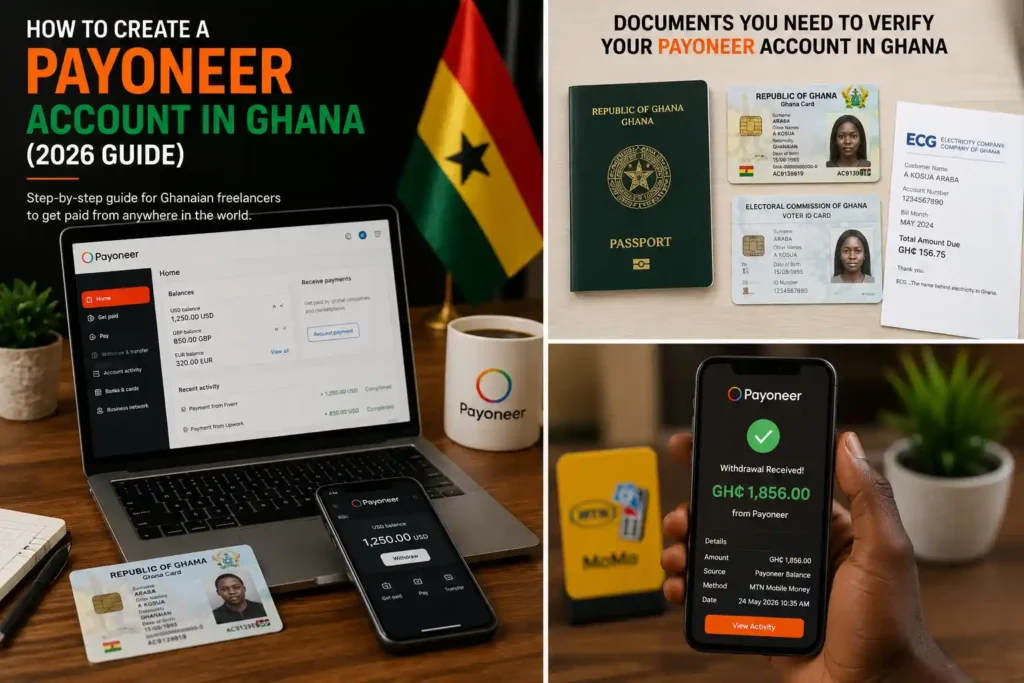
Last month, right after her first $40 payment landed, Efya asked me the question every new Ghanaian freelancer eventually asks: “Sir, the money is showing on my Fiverr, but how do I actually bring it home?” Her answer — and probably yours — is a Payoneer account. In Ghana it has quietly become the default bridge between earning online and spending in cedis, and opening one costs exactly zero cedis.
Opening a Payoneer account in Ghana is genuinely simple, but small mistakes get applications delayed or rejected for weeks. This guide walks you through every step the way we teach it in class, plus the fees nobody explains properly. Prefer watching? The short video below covers the whole journey in under four minutes.
What Payoneer Actually Does for You
Payoneer is an online payment service that gives you receiving accounts in dollars, pounds and euros. Think of it as a digital holding room: your client in London or the Fiverr system in Tel Aviv pays into it like a normal bank transfer, and the money sits safely under your name until you withdraw it to Ghana. For anyone freelancing in Ghana, it solves the oldest problem in the game — getting paid from abroad without a domiciliary account or a foreign relative.
Fiverr, Upwork, Amazon and dozens of other platforms connect to Payoneer directly, and ordinary clients can pay you there with a simple link. Opening the account itself is free. You only pay small fees when money moves, and we will look at those honestly in a moment.
What You Need Before You Start
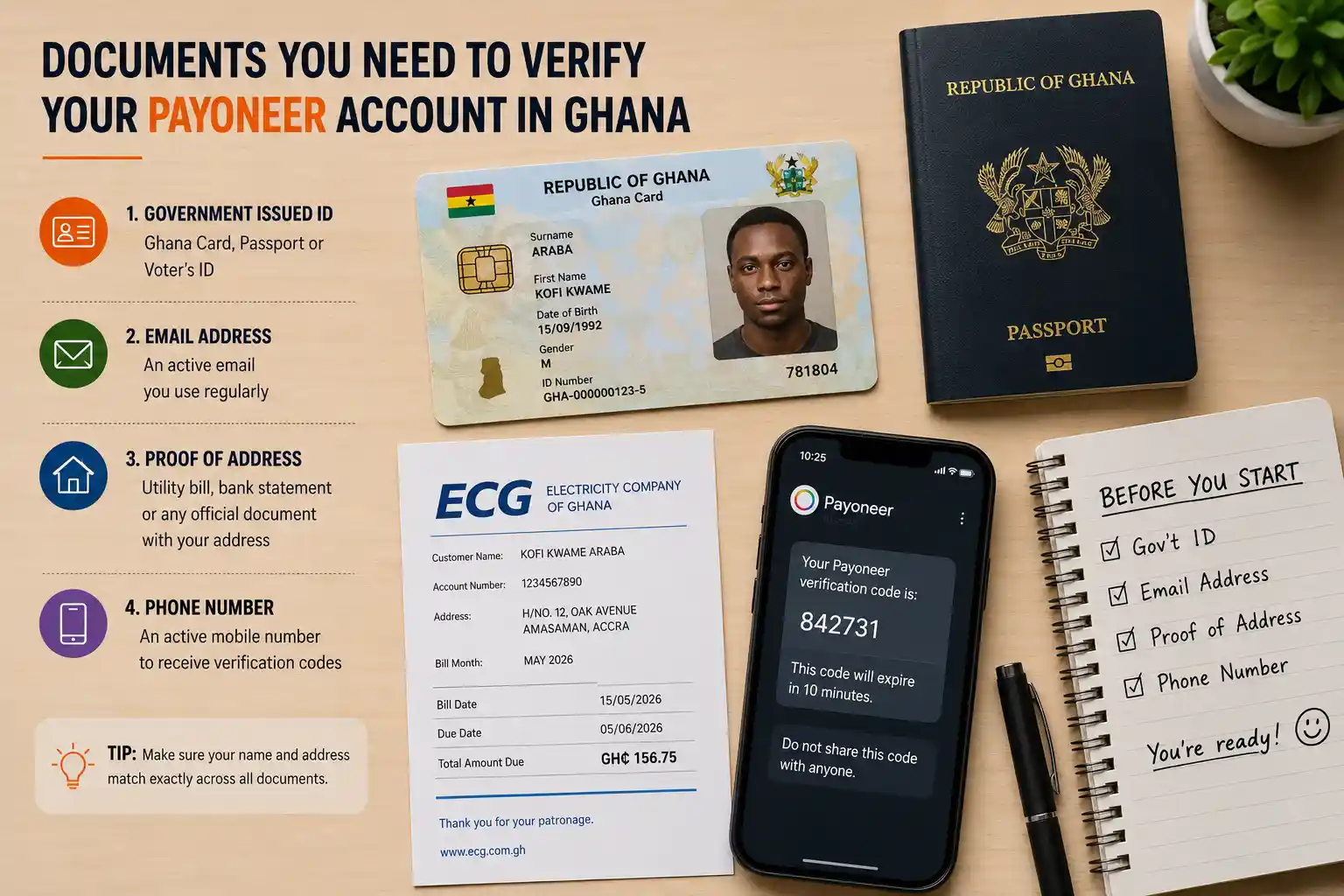
Gather these four things first and the whole signup takes about fifteen minutes:
- A government-issued ID. Ghana Card works best; a valid passport or voter’s ID is also accepted. The name on the ID must match your Payoneer name exactly, letter for letter.
- An email address you actually use. Approval messages and security codes go here.
- Your real home address. Not a landmark, not “behind the big filling station.” Payoneer verifies addresses, so use the address on your utility bill or bank statement if you can.
- A phone number that is active. You will receive verification codes by SMS during signup.
How to Create a Payoneer Account in Ghana Step by Step
Work through these five stages in order and your Payoneer account in Ghana takes about fifteen minutes to create. Do not skip stage three — it is where most applications stall.
- Sign up on the official site. Go to payoneer.com, choose “Register,” select “Freelancer or SMB,” and fill in your legal name, date of birth and address exactly as they appear on your ID. Create a strong password and a security question you will genuinely remember.
- Verify your email and phone. Payoneer sends a code to both. Enter them promptly — codes expire, and restarting is slower than doing it once, carefully.
- Submit your ID for verification. Upload a clear photo of your Ghana Card, passport or voter’s ID (front and back where asked). Bright light, no glare, all four corners visible. Blurry uploads are the number one cause of delays. Approval usually takes one to three working days.
- Add your payout method. Link your Ghanaian bank account (cedis land there) and, where available for Ghana, your MoMo number. Double-check every digit. A wrong account number does not bounce politely — it can freeze a withdrawal for weeks.
- Activate your receiving accounts. Inside the dashboard, open the Global Payment Service section and note your USD, GBP and EUR receiving account details. These are what you will give to platforms and clients.
Fees and Limits, Explained Honestly
Payoneer is free to open, but it is not free to use. Here is the realistic picture for a typical Ghanaian freelancer (rates shift occasionally, so always confirm inside your dashboard before quoting figures to a client):
| Action | Typical cost | What it means for you |
|---|---|---|
| Opening the account | Free | No setup or monthly charge |
| Receiving from another Payoneer user | Free | Client-to-client transfers cost nothing |
| Receiving via marketplaces (Fiverr, Upwork) | ~1–2% | Deducted before money lands |
| Withdrawing to your Ghanaian bank | ~2% + exchange margin | The exchange rate is where the real cost hides |
| Minimum withdrawal to bank | About $50 | Small balances wait in your account |
“The fee you see is rarely the whole cost. The exchange rate margin is the quiet one — always compare the cedi amount you will receive, not just the percentage.”
Ovateq Editorial Team
Receiving Your First Payment
Two routes matter once your Payoneer account in Ghana is active. If you work through Fiverr or Upwork, connect Payoneer inside that platform’s payout settings — the platform handles the rest automatically. If you work with direct clients, use Payoneer’s “Request a Payment” feature: you send a professional payment link, the client pays by card or bank transfer, and you get notified when it lands.
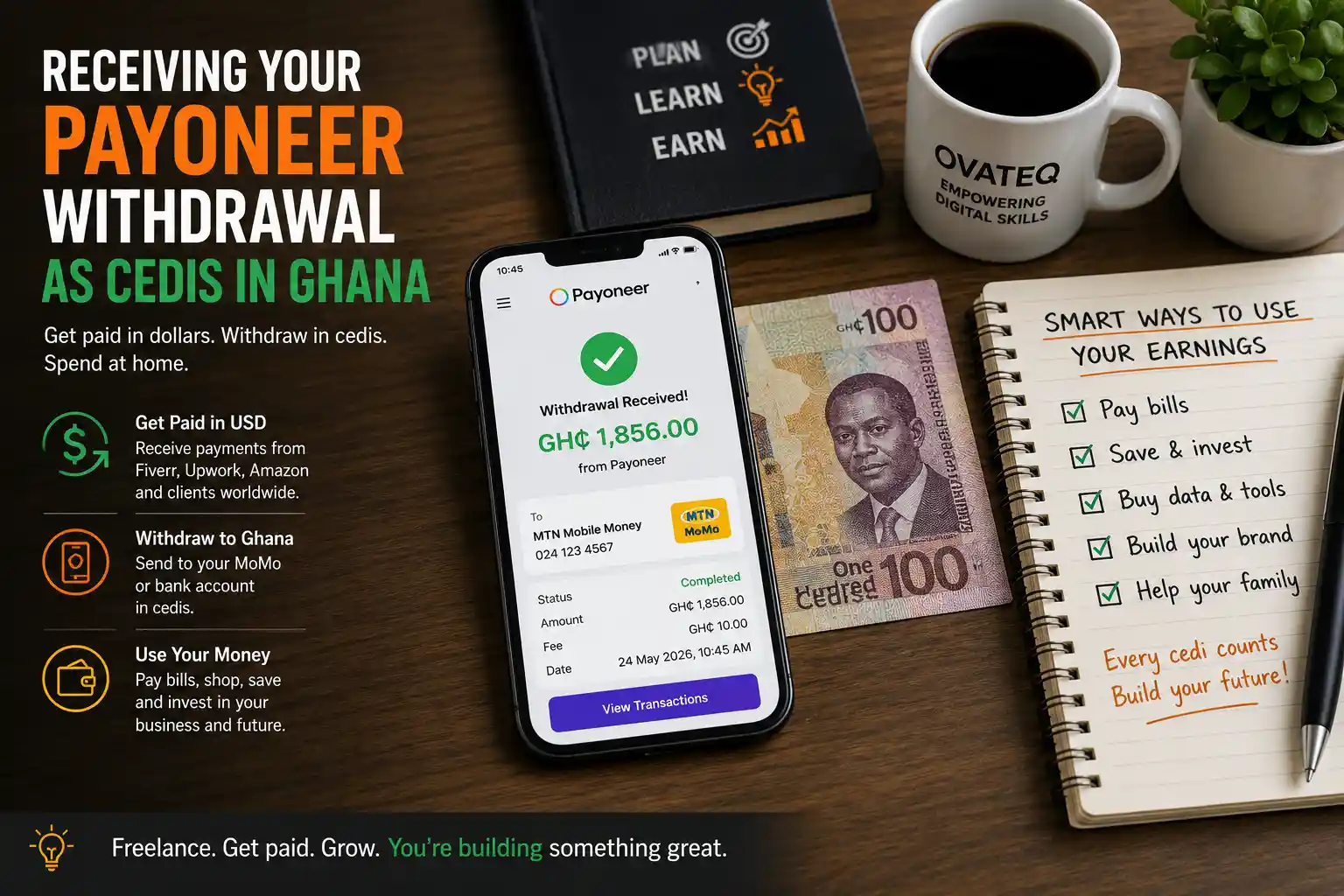
Then withdraw. From the dashboard, choose “Withdraw to bank,” enter the dollar amount, and Payoneer shows you the exact cedi figure you will receive before you confirm. Withdrawals typically reach Ghanaian bank accounts within one to three working days. And a small discipline that saves freelancers every single month: keep a simple record of each payment in a spreadsheet — date, client, amount, cedi received. Future-you, doing taxes or applying for anything official, will be grateful. Payoneer’s own help center also documents every step of this if you ever get stuck.
Mistakes That Delay or Reject Applications
- Nickname instead of legal name. “Kwame Jay” will not pass when your Ghana Card says “Kwame Joshua Mensah.”
- Blurry or cropped ID photos. Retake in daylight rather than uploading something “manageable.”
- A landmar address. “Near the tro-tro station” fails verification. Use the address on an official document.
- Sharing your PIN or codes. Payoneer staff never ask for them. Anyone who does is a scammer, full stop.
- Rushing the security questions. You will need these answers years later to recover the account. Write them down somewhere safe.
Frequently Asked Questions
Can I withdraw from Payoneer to Mobile Money in Ghana?
Payoneer’s MoMo options for Ghana have been expanding, and in many cases you can link your MoMo number directly. If the option is not showing for your account, withdrawing to a Ghanaian bank account in cedis works for everyone, and from there MoMo is one instant transfer away.
How long does Payoneer verification take?
Usually one to three working days once your documents are clear. Blurry ID photos are the main cause of longer waits — retake them in daylight rather than arguing with an upload you know is weak.
Can I open a Payoneer account in Ghana without a bank account?
You can create and verify the account, yes. But to move money out you will eventually need either a Ghanaian bank account or an available MoMo withdrawal option. Our advice: open a basic bank account alongside it; most banks do this free with your Ghana Card.
Is Payoneer safe to use in Ghana?
Yes. Payoneer is a regulated global payments company used by millions of freelancers. The real dangers are fake “Payoneer agents” on social media — open your account yourself on the official site and never hand your verification codes to anyone.
What is the minimum I can withdraw?
Roughly $50 to a bank account. Smaller freelance payments simply accumulate in your Payoneer balance until you reach the threshold, which for a new freelancer usually happens faster than expected.
Video transcript: How to Create a Payoneer Account in Ghana (for accessibility and search)
If you earn online from Ghana, the hardest part is often not finding clients. It is bringing the money home. Payoneer fixes that, and opening an account is free. Payoneer gives you receiving accounts in dollars, pounds and euros. Your client pays into it like a normal bank transfer, and the money waits safely under your name until you withdraw it in cedis. You need four things before you start: a government ID such as your Ghana Card, an email address you actually use, your real home address, and an active phone number. Step one: sign up on payoneer.com and enter your legal name exactly as it appears on your ID. Step two: verify the codes sent to your email and phone. Step three: upload clear photos of your ID — bright light, all corners visible. Step four: link your Ghanaian bank account or MoMo number, checking every digit twice. Step five: activate your receiving accounts inside the dashboard and copy your USD, GBP and EUR details. Fees are simple: opening is free, receiving from other Payoneer users is free, marketplace payments cost about one to two percent, and withdrawing to a Ghanaian bank costs roughly two percent plus an exchange margin — so always check the cedi amount, not just the percentage. Three pro tips: never share your verification codes, keep a simple spreadsheet of every payment, and finish verification before you send your first client a payment request. That is it. The full written guide is on ovateq.com — and if you want this taught properly, with real projects, our courses are open for the next intake.
Getting paid should be the easy part of freelancing, and with your Payoneer account in Ghana set up correctly, it finally is. If you are still choosing your skill or finding your first clients, start with our freelancing in Ghana guide, see the bigger picture in 10 ways to make money online in Ghana, or learn these skills properly with instructors in class through our Ovateq courses. Your first withdrawal is closer than you think.
Hi, I’m Ovadia, the founder of Ovateq. I’m passionate about technology, digital skills, and helping people learn practical tools that can improve their careers, businesses, and everyday lives. Through Ovateq, I create beginner-friendly tutorials and educational content focused on Microsoft Office, digital literacy, website development, and modern tech skills. My goal is to make technology easier to understand and more accessible for everyone.